Real-time PPC monitoring is essential for avoiding wasted ad spend and optimizing campaign performance. By tracking key metrics like CTR, CPC, and CPA every 15–60 minutes, you can identify and fix issues before they escalate. Automated alerts and AI-powered tools help prevent budget overruns, detect performance dips, and maintain profitability.
Here’s what you need to know:
- Why it matters: On average, 15–25% of PPC budgets are wasted on underperforming campaigns. Real-time monitoring can catch these issues early, saving significant costs.
- Key metrics to track: CTR (engagement), CPC (cost efficiency), and CPA (profitability).
- Top tools for 2026: Platforms like Ryze AI, Optmyzr, and Adalysis provide automated insights and optimization features.
- Best practices: Set up tailored alerts, monitor daily trends, and use compound logic to reduce false alarms.
Real-time monitoring isn’t just about tracking numbers - it’s about acting fast to protect your investment and improve results.
Key Metrics to Track in Real-Time
When it comes to making informed decisions, focusing on the right data is essential. Many dashboards bombard you with numbers, but the most effective ones focus on just 5–10 key metrics that truly matter, often tracked using top PPC tools.
Click-Through Rate (CTR)
CTR measures how well your ads capture attention and encourage clicks. It’s a great early indicator of ad performance, offering insights into how your audience is engaging before they even click. If CTR drops, it could mean your ads are losing their appeal or relevance, signaling it’s time to refresh your creative to avoid wasting ad spend.
Benchmarks for CTR vary by industry and campaign type. For example:
- Branded campaigns: Aim for 5% or higher.
- Non-branded search campaigns: 2% or higher is a good target.
- Industry averages: Retail sits around 6.19%, healthcare at 6.11%, while the overall search ad average is 1.91%.
A strong CTR not only boosts engagement but also improves your Quality Score, which can lower your cost per click and improve ad rankings. However, if a high CTR is paired with a low conversion rate, it might mean your ad copy is overpromising and attracting the wrong audience.
While CTR gives you a snapshot of audience engagement, tracking CPC provides insights into your campaign’s cost dynamics.
Cost Per Click (CPC)
CPC is a critical metric for understanding shifts in competition and ad relevance. A sudden rise in CPC often indicates increased competition or a drop in your Quality Score. When this happens, you may need to adjust your bids, improve ad copy, or optimize your landing pages.
"CPC trends are an early warning system - rising CPCs without rising conversion rates usually means competitive pressure or Quality Score erosion." - Sentinel
With CPC increasing by 13% year-over-year, keeping a close eye on this metric is more important than ever. Set up alerts to notify you when CPC surpasses your profitability threshold. This allows you to quickly pause underperforming ads or shift budgets to better-performing campaigns before the end of the day.
By monitoring CPC alongside CTR, you’ll have a clearer picture of both engagement and cost efficiency, paving the way for deeper conversion analysis.
Conversion Rate and Cost Per Conversion
Conversion rate measures how effectively your landing pages turn clicks into customers. If CTR is strong but conversions are lagging, the problem likely lies in your post-click experience. Issues like slow load times, poor mobile optimization, or a disconnect between your ad and landing page offer can all hurt conversion rates.
Cost Per Conversion (CPA) is another metric that directly impacts profitability. To keep campaigns sustainable, your CPA must stay below your Customer Lifetime Value (LTV). Real-time tracking can help you spot CPA spikes quickly, preventing the common 15–25% budget waste caused by underperforming campaigns going unnoticed.
"A 2x lift in conversion rate effectively halves your cost per acquisition without changing anything in your media buying." - Sentinel
For smaller accounts spending $5,000–$20,000 per month, set alerts if CPA rises by 40% over 72 hours. Larger accounts with $50,000+ monthly budgets should use a tighter threshold of 35% on same-day data to catch issues quickly without triggering unnecessary alarms.
sbb-itb-89b8f36
Top Tools for Real-Time PPC Monitoring in 2026
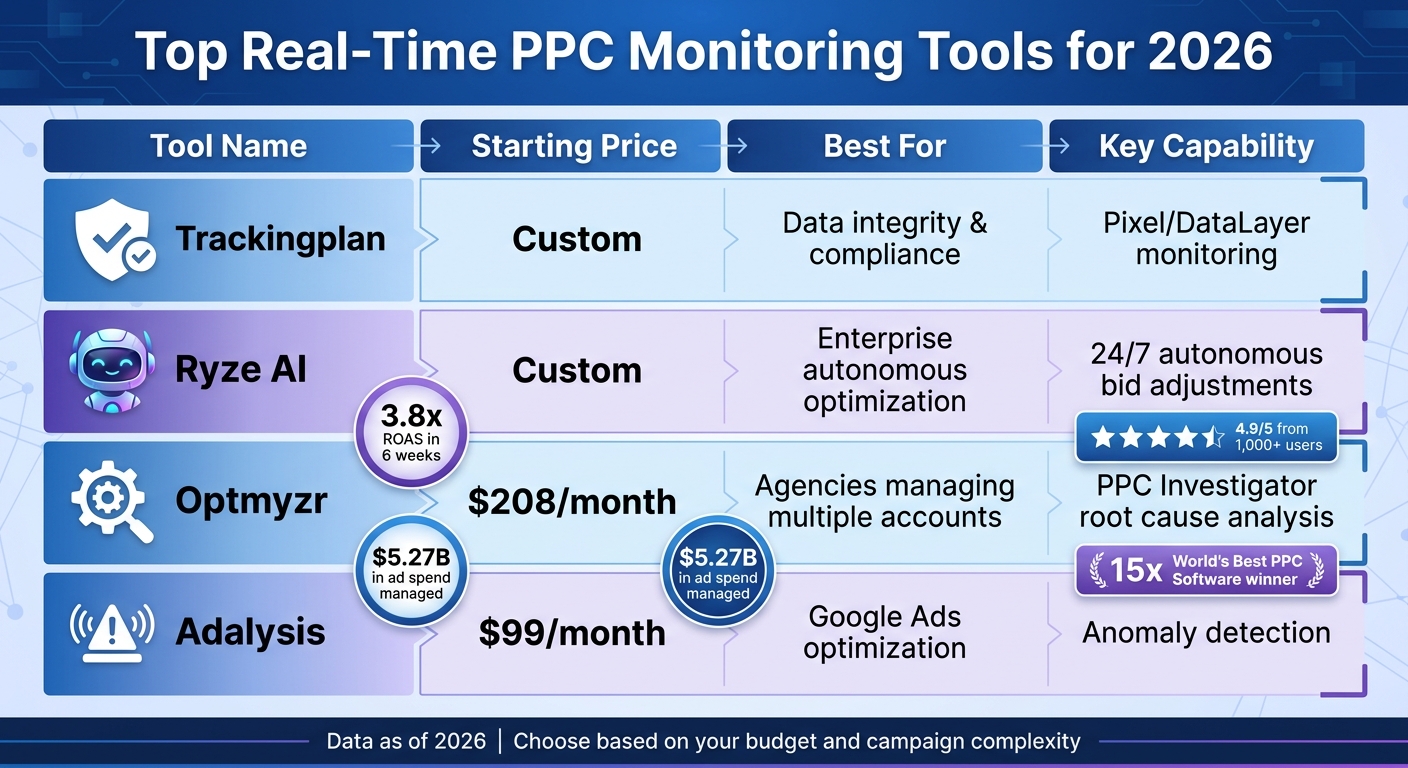
Real-Time PPC Monitoring Tools Comparison 2026
The right tools can make or break your PPC campaigns, especially when it comes to acting on real-time data. These platforms don't just report numbers - they help you transform raw metrics into immediate, impactful actions. Here are some standout options for 2026.
Trackingplan for Pixel and DataLayer Monitoring
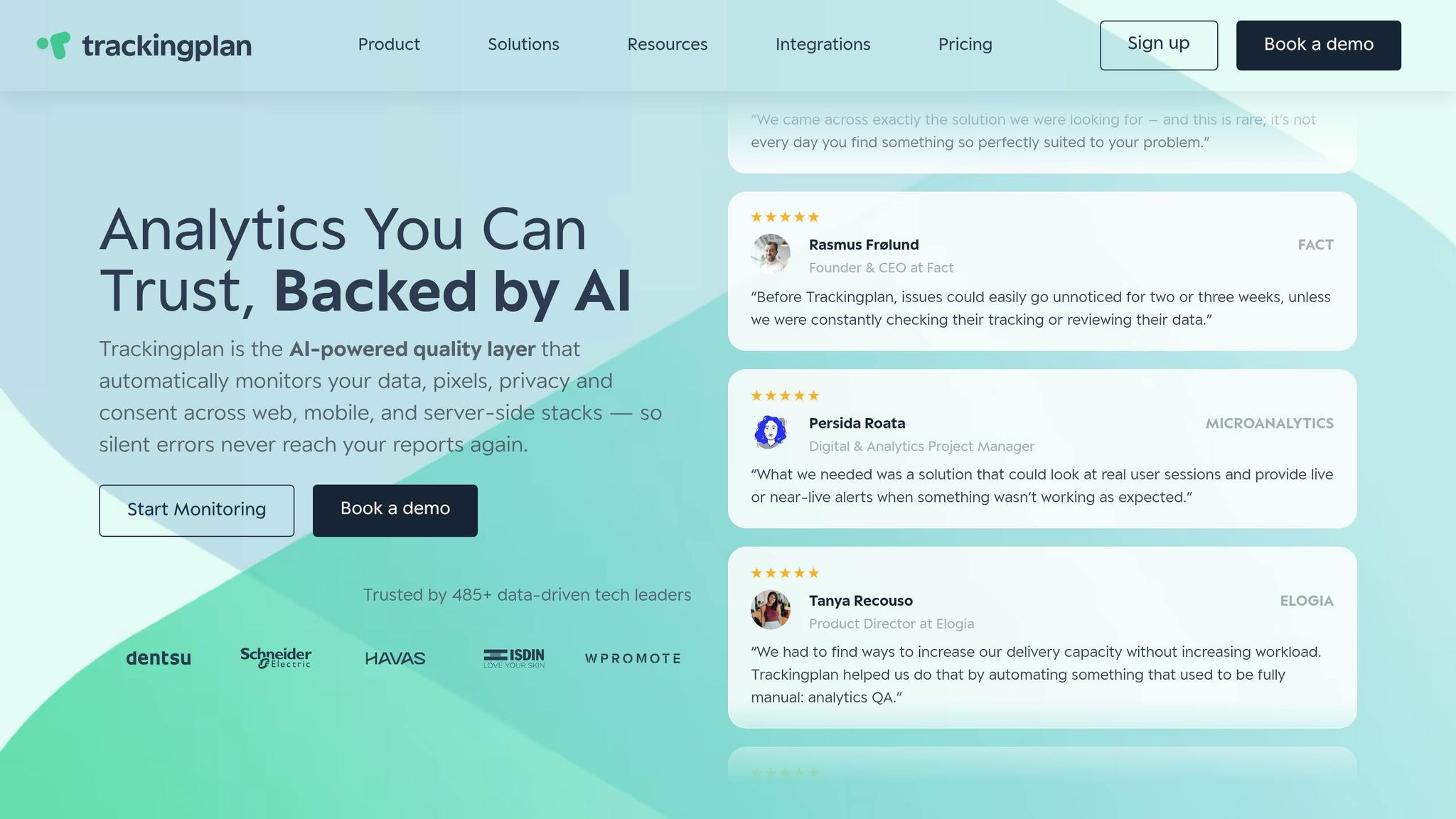
Trackingplan offers constant monitoring of pixels, DataLayers, and UTM naming conventions to ensure your tracking infrastructure remains spot-on. It catches issues like missing events, broken tags, or misconfigured parameters - problems that can quietly drain your ROAS without raising any alarms.
On top of that, it validates cookie consent and CMP compliance in real time, shielding your campaigns from potential privacy pitfalls. As Pablo Urueña, Digital Analytics Manager at Semmántica, puts it:
"Trackingplan helps us identify untagged or empty data in campaigns. This allows us to proactively alert the client... flagging them before they become problems."
Ryze AI for Cross-Platform Automated Alerts
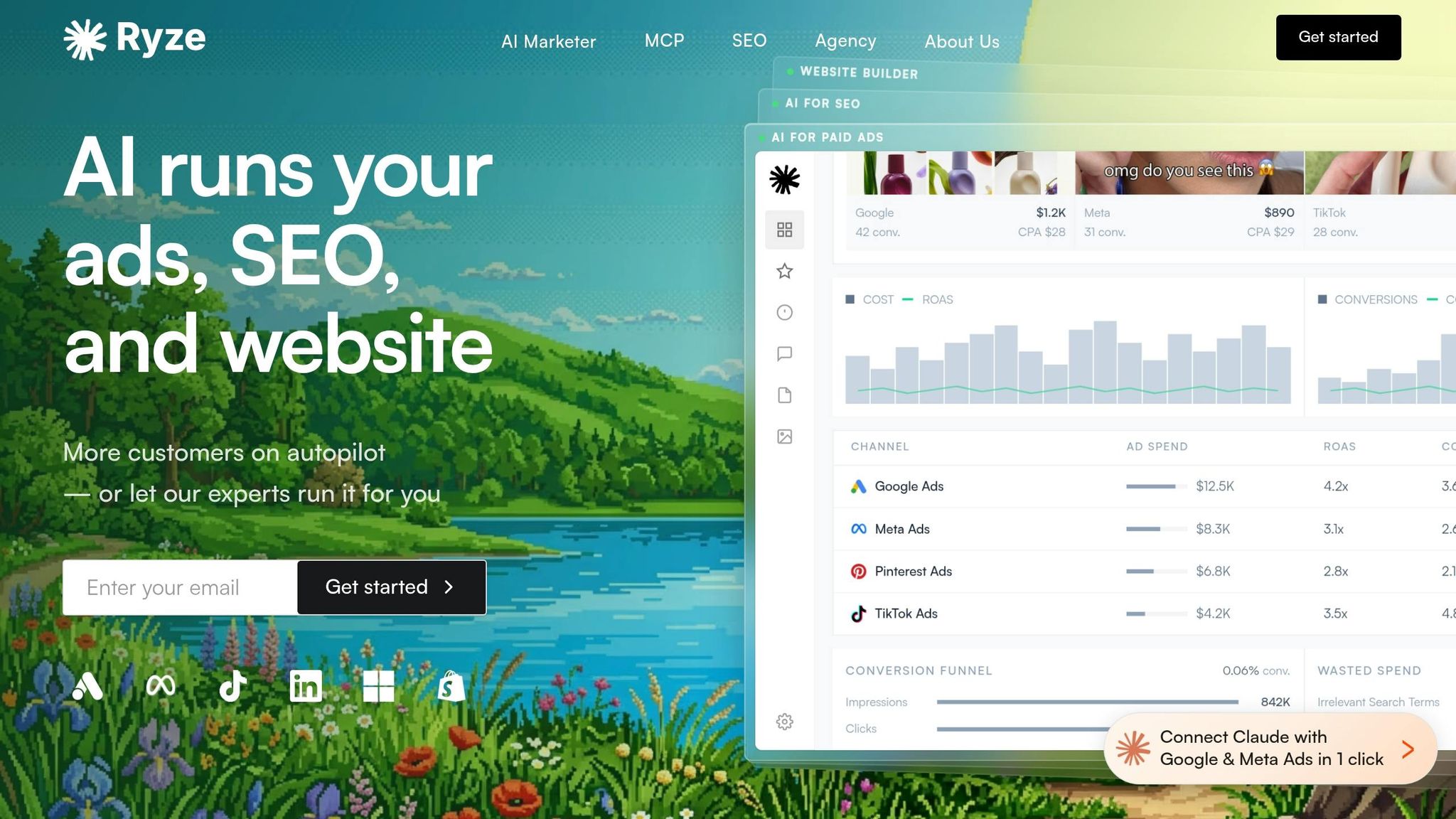
Ryze AI takes automation to the next level by not only identifying issues across platforms like Google, Meta, and Microsoft Ads but also fixing them autonomously. It tracks nine key alert types, including CPA spikes, budget overruns, and competitor activity. Instead of just notifying you, Ryze can pause underperforming ads or tweak bids on its own.
Clients have reported impressive results, with an average 3.8x ROAS within six weeks of onboarding. The platform currently handles over $500 million in ad spend for more than 2,000 marketers. Sarah K., a Paid Media Manager at an e-commerce agency, shared:
"We went from spending 10 hours a week on bid management to maybe 30 minutes reviewing Ryze's recommendations. Our ROAS went from 2.4x to 4.1x in six weeks."
With a stellar 4.9/5 rating from 1,000+ users, Ryze AI is a go-to for teams managing hefty budgets that demand constant attention without requiring manual effort.
Optmyzr for Performance Troubleshooting
Optmyzr stands out by helping you figure out why your metrics are changing, not just alerting you to the fact that they are. Its "PPC Investigator" uses cause charts and root cause analysis to quickly diagnose performance shifts. This tool has scaled to manage over $5.27 billion in ad spend across 378,000+ accounts.
It’s no stranger to accolades either, winning "World's Best PPC Software" at the Global and US Search Awards 15 times between 2018 and 2025. PPC agency Mabo saw incredible results after adopting Optmyzr, including a 56% productivity boost, 36% faster ad copy testing, and a 52% reduction in CPC for clients.
With plans starting at $208/month, it’s a solid choice for PPC agencies juggling multiple accounts.
Adalysis for Anomaly Detection
Adalysis zeroes in on Google Ads optimization, offering robust anomaly detection to catch unexpected performance changes before they snowball into bigger problems. Starting at $99/month, it pairs monitoring with automated suggestions to keep campaigns running smoothly.
| Tool | Starting Price | Best For | Key Capability |
|---|---|---|---|
| Trackingplan | Custom | Data integrity & compliance | Pixel/DataLayer monitoring |
| Ryze AI | Custom | Enterprise autonomous optimization | 24/7 autonomous bid adjustments |
| Optmyzr | $208/month | Agencies managing multiple accounts | PPC Investigator root cause analysis |
| Adalysis | $99/month | Google Ads optimization | Anomaly detection |
Setting Up Real-Time Alerts
To make sure you’re staying on top of critical metrics, setting up effective alerts is key. The trick is to establish thresholds that make sense for your specific campaigns. A good starting point is to use your 30-day and 90-day averages for metrics like CPA (Cost Per Acquisition), CTR (Click-Through Rate), and ROAS (Return on Ad Spend). These averages give you a more realistic baseline compared to relying solely on generic industry benchmarks.
For CPA, set alerts when costs exceed your baseline by 35–40%. If you’re working with a smaller account (spending under $20,000 per month), you might want to start with a 40% threshold to avoid unnecessary alerts. Larger accounts with more conversions can afford to tighten this range to 35%, as they have more data to make these changes statistically meaningful. Keep in mind, a 50% increase in CPA on just two conversions is likely just noise, but a 30% jump on 100 conversions is a red flag.
For CTR, trigger alerts if there’s a drop below 80% of your 30-day average sustained over three days. For budgets, smaller accounts should set daily budget alerts at 120%, while larger accounts can go up to 150%. Additionally, if 80% of the daily budget is spent by 3 PM, trigger an alert since Google Ads can sometimes exceed daily budgets by up to 200% during high-conversion periods.
Different campaigns require different thresholds. Brand campaigns, which tend to be more stable, should have tighter limits, while prospecting or competitive campaigns may need looser tolerances due to natural fluctuations. During peak seasons like Black Friday, adjust your thresholds to account for unusual performance patterns.
By tailoring these thresholds, you’re setting yourself up for timely and effective notifications that can be seamlessly integrated into your communication tools.
Integrating Alerts with Communication Platforms
Not all alerts are created equal - low-priority updates might work fine over email, but critical issues demand immediate attention. To handle real-time problems, integrate your monitoring tools with platforms like Slack, Microsoft Teams, or even SMS for instant alerts.
Many marketers use third-party tools like Ryze AI, Optmyzr, and Adalysis. These tools connect through webhooks and APIs, pulling data every 15–60 minutes. This approach is much faster than relying on standard email notifications, catching problems like budget overruns or performance dips before they spiral out of control.
A tiered notification system can help you prioritize responses without overwhelming your team. For example:
- Critical issues (e.g., campaign disapprovals, trademark violations, major budget spikes): Use SMS or Slack for immediate alerts.
- Medium-priority issues (e.g., performance shifts like CPA increases): Route these to a dedicated Teams channel or email to avoid alert fatigue.
- Routine updates (e.g., weekly summaries): Stick to email for these less time-sensitive notifications.
You can also use compound logic, such as “CPA > $50 AND conversion volume < 10 AND campaign spend > $200,” to reduce false alarms. Well-configured alerts can help you catch 60–80% of potential ad spend waste early on.
| Alert Channel | Best For | Response Time |
|---|---|---|
| SMS | Critical budget spikes, campaign disapprovals | Immediate (under 5 minutes) |
| Slack/Teams | Performance drops, CPA increases | Within 15–60 minutes |
| Routine updates, weekly summaries | Same day |
Best Practices for Real-Time PPC Monitoring
Daily Monitoring Schedule
A streamlined daily routine is key to catching performance issues early. The best approach involves a three-tier system: daily checks for immediate concerns, weekly adjustments for tactical improvements, and monthly reviews for strategic insights.
Spend 5–10 minutes each day reviewing critical metrics like budget pacing, CTR trends, and conversion volumes in your most impactful campaigns. During business hours, check campaign statuses every 30 minutes to quickly address urgent issues, such as ad disapprovals, before they affect performance.
Weekly reviews, which take about 30–45 minutes, should focus on optimizations like bid changes, adding negative keywords, and monitoring Quality Scores. Monthly audits, lasting 2–3 hours, are ideal for analyzing broader trends, such as shifts in competition or ROAS patterns. For B2B campaigns, using business-hour performance baselines helps avoid false alarms due to naturally lower activity during nights and weekends.
By sticking to this routine, you’ll have a solid foundation for real-time monitoring. From there, refine your alert settings to better match your campaign goals.
Customizing Alerts Based on Campaign Goals
With a monitoring schedule in place, the next step is tailoring alerts to fit your campaign objectives. For example, e-commerce campaigns should focus on ROAS and conversion rate alerts, while lead generation campaigns should prioritize CPA and form completion rates. Use stricter thresholds for stable campaigns like branded efforts, while allowing more flexibility for prospecting or awareness campaigns, which naturally see more fluctuations.
To reduce unnecessary alerts, use compound alert logic that highlights only meaningful performance issues. For campaigns with low conversion volumes - fewer than 10 per week - switch to a 3-day rolling average to filter out statistical noise. Adjust alert thresholds based on your account size: smaller accounts spending $5,000–$20,000 monthly might set overspend alerts at 120%, while larger accounts spending $50,000 or more could use a 150% threshold.
These strategies are essential for maintaining a proactive and efficient real-time PPC monitoring system as we move into 2026.
Common Monitoring Mistakes and How to Avoid Them
Overloading with Alerts
When alert thresholds are set too tightly - like flagging every 15–20% increase in CPA - you risk overwhelming yourself with unnecessary notifications. This "alert fatigue" happens because normal CPA fluctuations often fall within the 20–30% range. To prevent this, start with broader thresholds (think 35–40% for metrics like CPA and ROAS) and fine-tune them gradually as you become familiar with your account's natural patterns.
Another smart tactic is to use top PPC advertising tools that support compound logic. For instance, set alerts to trigger only when CPA rises by more than 30% and spend exceeds $200. This way, you're only notified about changes that truly matter, helping you identify problems within hours instead of days. Also, remember to adjust thresholds based on how stable your campaigns are - this keeps irrelevant alerts to a minimum.
Ignoring Gradual Performance Changes
While sudden spikes are hard to miss, gradual declines often fly under the radar. Real-time alerts are great for spotting abrupt shifts, but they often fail to catch slow-burning issues that can quietly harm your campaigns over time. Take this example: a drop in Quality Score from 7 to 5 can lead to a 30–50% increase in CPCs and reduced ad visibility. Similarly, a steady decline in CTR or impression share might hint at growing competition or ad fatigue long before you notice a dip in conversions.
To stay ahead, track both leading indicators - like impression share, Quality Score, and CTR - and lagging metrics such as revenue and ROAS. Setting 30-day and 90-day baselines for these metrics can help you separate significant trends from routine fluctuations. Additionally, keep a record of website updates, ad copy revisions, and landing page changes to better understand any shifts in performance.
Using the Top PPC Marketing Directory for PPC Success
Finding PPC Tools and Agencies
The Top PPC Marketing Directory (https://ppcmarketinghub.com) is a go-to resource for real-time PPC monitoring, bringing together specialized tools and expert agencies in one place. Whether you're managing campaigns on Google Ads, Meta, Microsoft Ads, or even newer AI-driven platforms, this directory helps you find solutions tailored to your needs. Without proper real-time monitoring, campaigns can easily run into issues like overspending or missed opportunities.
For example, the directory features tools like Adalysis, priced at $99/month, which focuses on anomaly detection. If you're looking for autonomous optimization across multiple platforms, Ryze AI offers custom pricing and has helped clients achieve an average 3.8x ROAS within just six weeks of implementation. For agencies handling numerous accounts, Optmyzr provides operational efficiency at $208/month.
If you lack in-house expertise to manage complex alerting and monitoring systems, the directory also connects you with agencies that offer managed real-time monitoring services. This is crucial, especially considering that 76% of marketing budgets are wasted due to poor analysis and monitoring practices.
By streamlining the selection process for tools and agencies, this directory not only simplifies campaign management but also improves oversight, setting the stage for smarter resource allocation.
Improving Campaign Performance with Curated Resources
Beyond tools, the directory offers access to strategic resources that can make a big difference in your campaign's performance. These include PPC keyword research tools, competitor benchmarking solutions like Semrush (great for tracking rival bid patterns), and tools for analyzing landing page quality. These resources are essential for maintaining strong campaign performance over time.
When choosing tools, focus on those that allow for compound conditions in alerts. For instance, platforms that notify you only when CPA exceeds $50 and spend surpasses $200 can help reduce false alarms and prevent alert fatigue. For B2B campaigns, look for tools that adjust to business-hour baselines, avoiding unnecessary notifications during off-hours when performance naturally dips.
Conclusion
Keeping an eye on your PPC campaigns in real-time isn't just a good idea - it can save you from wasting 15–25% of your budget on campaigns that aren’t delivering results. By catching problems within hours instead of letting them linger for weeks, you can make smarter, faster decisions that protect your investment. Focus on 5–10 key metrics like CPA, CTR, and spend velocity - these are the numbers that truly drive performance.
Modern tools take much of the manual effort out of monitoring while delivering better outcomes. To avoid drowning in unnecessary alerts, set thresholds based on statistical significance to filter out false positives. Pay special attention to spend velocity - it’s crucial for flagging budget overruns before they spiral out of control, especially early in the day, like before 2 PM or 3 PM.
A structured approach is key. Daily checks can help you catch urgent issues, weekly reviews allow for tactical adjustments, and monthly evaluations let you refine your overall strategy and budget. Pair every metric with a clear course of action - if a number doesn’t help you answer “What’s next?”, it doesn’t belong on your main dashboard. Without this kind of analysis, as much as 76% of your marketing budget could go to waste.
Need help finding the right tools or agencies to implement these strategies? The Top PPC Marketing Directory (https://ppcmarketinghub.com) is a great resource. Their curated list of solutions can save you hours of research and help you avoid costly mistakes. For more in-depth resources, check out their website.
Combining automation with thoughtful human analysis can transform how you manage PPC campaigns. By applying the strategies and tools outlined here, you’ll be better equipped to turn real-time data into actionable insights - and ultimately, better results for your campaigns and revenue.
FAQs
How often should I check PPC metrics in real time?
PPC metrics need constant monitoring. Most modern tools refresh data every 15 to 60 minutes, allowing you to spot problems early and adjust your campaigns promptly.
What alert thresholds work best for small vs. large ad budgets?
For smaller ad budgets, setting lower alert thresholds works best. This approach helps you catch performance problems quickly and reduces wasted spending. On the other hand, larger budgets can handle higher thresholds since they operate on a bigger scale. The ideal thresholds really depend on your campaign goals and the recommendations specific to the platform you're using. Fine-tune your settings to match your objectives and get the best possible outcomes.
How do I reduce false alarms without missing real problems?
To reduce false alarms and still catch genuine issues in your PPC campaigns, fine-tune alert thresholds for important metrics like sudden CPA increases or significant CTR declines. Combine these automated alerts with consistent manual reviews of conversion tracking and campaign data. This approach ensures that major problems are identified quickly while minimizing interruptions from non-critical alerts, keeping your campaigns running smoothly.