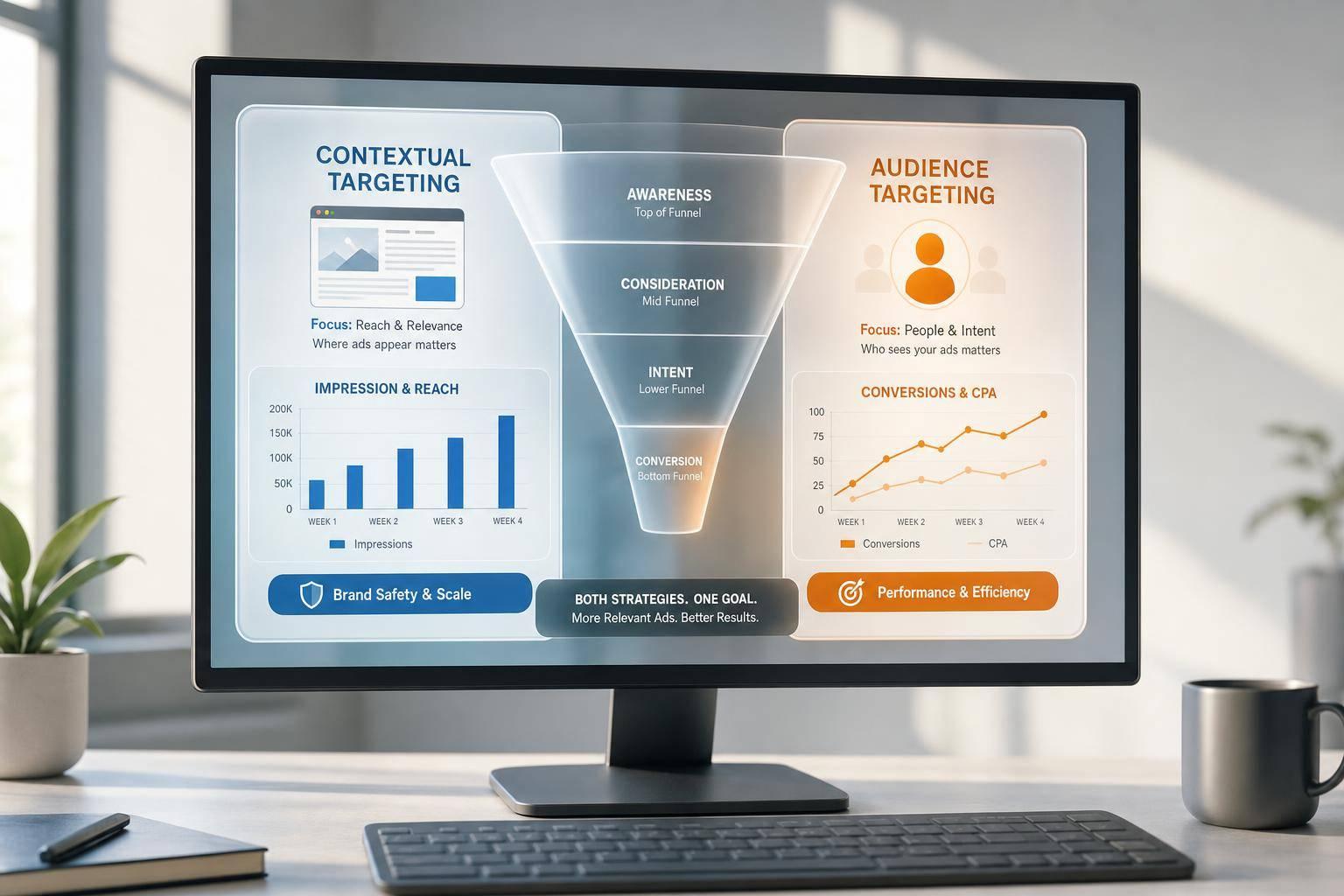
Most PPC waste starts with a message mismatch. If I match ad copy to what a person wants right now - research, comparison, or purchase - I can lift click-through rate, cut wasted spend, and send people to pages that fit the click.
Here’s the whole play in simple terms:
- Read intent from signals: query words, audience lists, and on-site behavior
- Sort keywords by stage using top PPC tools: informational, comparison, or transactional
- Match each stage to the right ad: theme, offer, CTA, and landing page
- Keep structure clean: separate intent clusters so I can test and measure them
- test one change at a time with automation from Adalysis: headline theme, offer, or CTA
- Review monthly: search terms, audiences, and landing-page match
A B2B example in the article showed a 39% CTR lift and a 28% drop in cost per lead after aligning ads to intent. The takeaway is simple: don’t show the same ad to every searcher.
What I’d do:
- Send “how to” searches to guides, checklists, or calculators
- Send “best” and “vs” searches to comparison pages, demos, or case studies
- Send “pricing” and “demo” searches to pricing, trial, quote, or booking pages
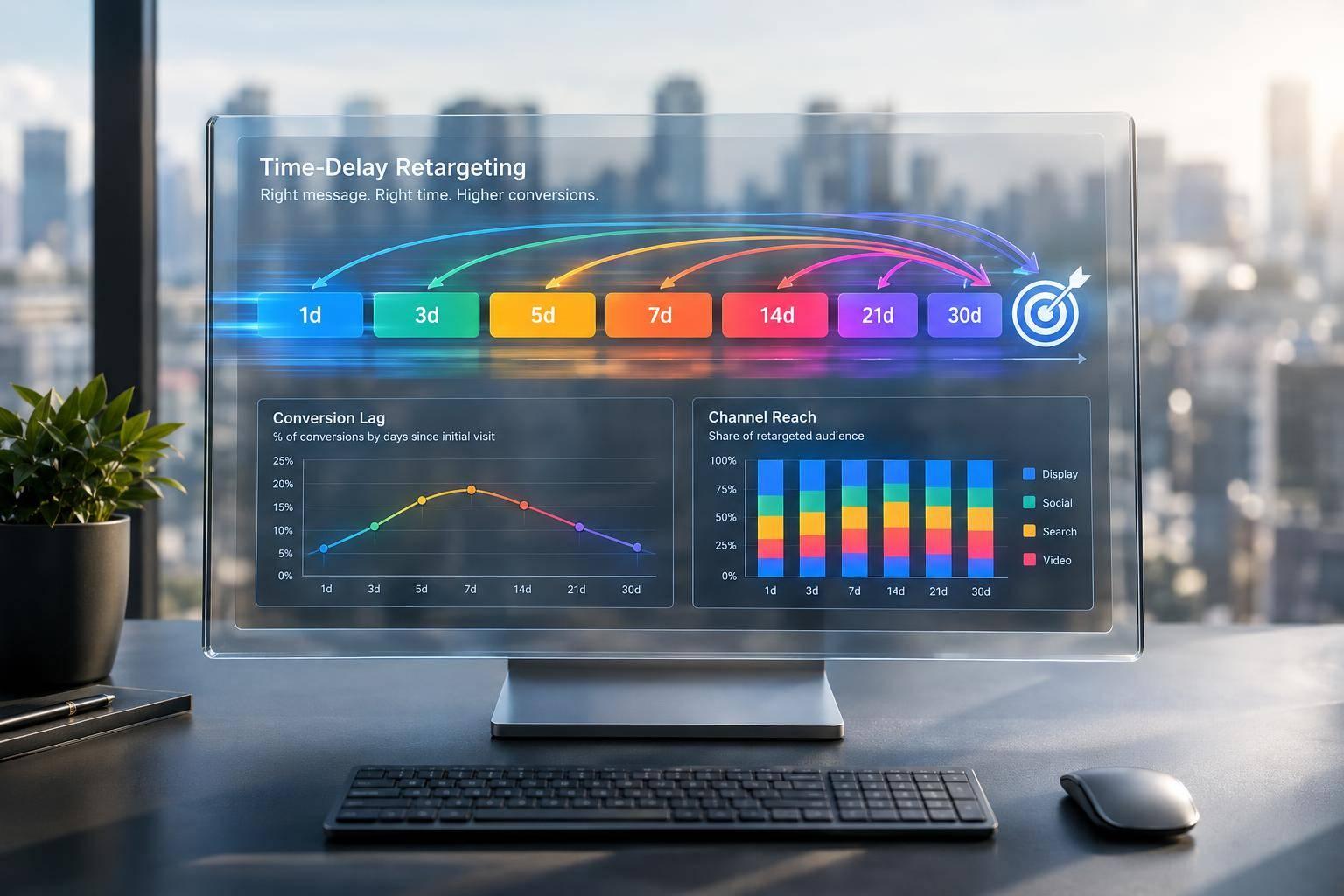
- Use audience recency like 3-day, 7-day, and 14-day windows to tighten copy and bids for people closer to a decision
One rule matters most: the ad promise and landing page must match. If someone searches for pricing and lands on a homepage, I add friction and pay for weaker clicks.
This article is a clear process for turning intent signals into better PPC copy, cleaner testing, and lower CAC.
How to Write Google Ads Copy that Converts [Updated for 2026]
sbb-itb-89b8f36
Map Intent Signals to Ad Themes, Offers, and CTAs
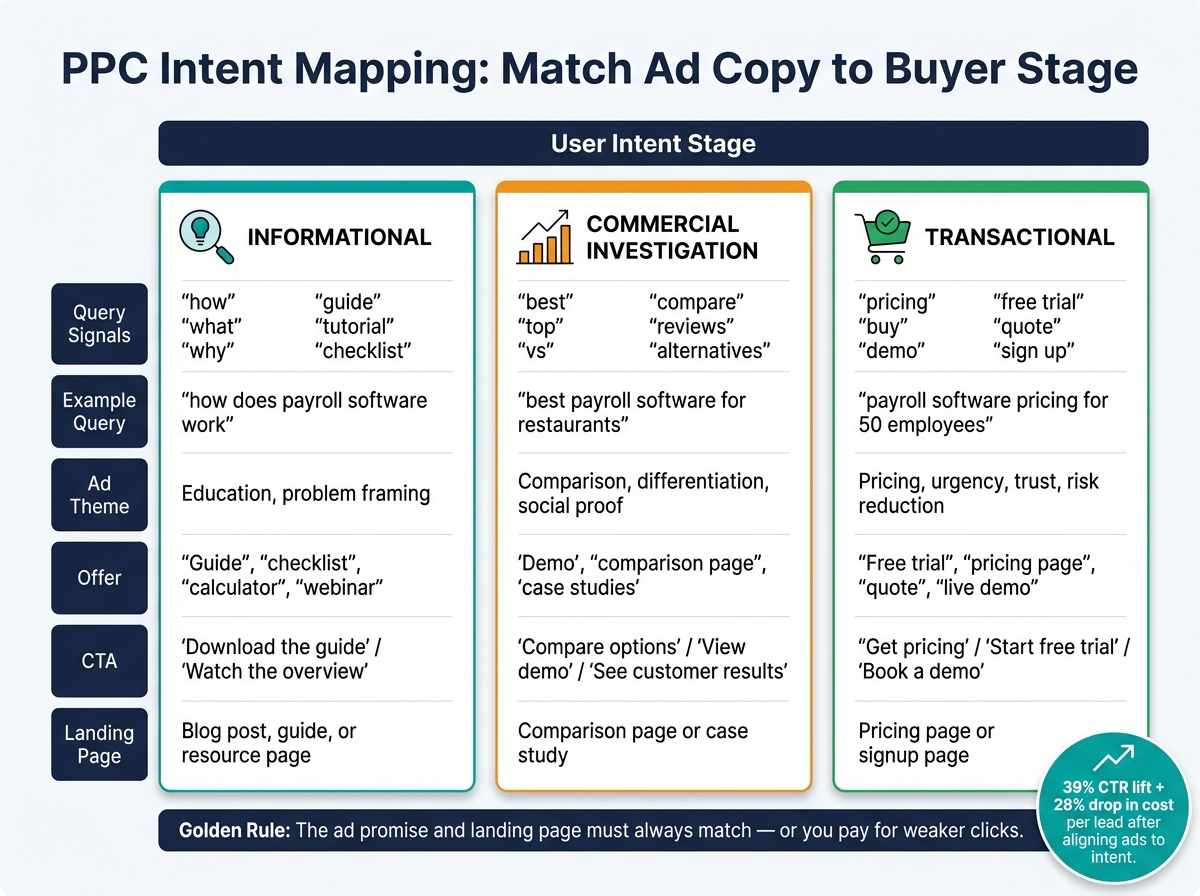
PPC Intent Mapping: Match Ad Copy to Buyer Stage
Group Queries by Intent Stage
The simplest way to sort a keyword list is to place each query into one of three buckets: informational, commercial investigation, or transactional. Do that tagging before you write ad copy.
Informational queries usually include words like how, what, why, guide, tutorial, or checklist. For example, how does payroll software work shows research intent, not buying intent. Commercial investigation queries often use best, top, vs, compare, reviews, or alternatives. best payroll software for restaurants is a classic shortlist query. Transactional queries point to action, with terms like pricing, buy, demo, free trial, quote, or sign up. Payroll software pricing for 50 employees fits here.
Once you’ve tagged the query, use that stage to shape the message, offer, and CTA.
Match Each Intent Type to the Right Message and Offer
The ad should match the user’s next step. That sounds obvious, but it’s where a lot of campaigns go off track.
| Intent Stage | Ad Theme | Offer | CTA |
|---|---|---|---|
| Informational | Education, problem framing | Guide, checklist, calculator, webinar | Download the guide, watch the overview |
| Commercial Investigation | Comparison, differentiation, social proof | Demo, comparison page, case studies | Compare options, view demo, see customer results |
| Transactional | Pricing, urgency, trust, risk reduction | Free trial, pricing page, quote, live demo | Get pricing, start free trial, book a demo |
The same intent label should carry through to the landing page. If someone clicks on payroll software pricing and lands on a generic homepage, you’ve added friction for no good reason. A transactional query should go to a pricing page or signup page - not the homepage.
It helps to put this logic into a shared worksheet so everyone on the team follows the same rules.
Build a Simple Intent Mapping Worksheet
A one-page worksheet keeps the team on the same page and makes campaign reviews easier. Set it up as a shared spreadsheet with one row for each query cluster. Include these columns: query cluster, example queries, audience signal, intent stage, ad theme, primary benefit, offer, CTA, and landing page URL.
The audience signal column matters because behavior can change how you read intent. Someone already in a trial who searches for a checklist may need a stronger CTA than a first-time visitor.
Review the worksheet every month as part of your PPC campaign optimization audit. As search terms shift, update the sheet so the mapping stays current.
Set Up Intent-Based Personalization in Google Ads
Create Audiences and Custom Segments from Buying Signals
Use your worksheet labels to turn each intent cluster into audiences and dynamic copy rules in Google Ads. Once the intent mapping worksheet is done, convert those stages into a small set of high-signal audiences in Google Ads. The goal is simple: focus on buying signals, not broad traffic.
In GA4, go to Admin → Audiences → New Audience and build audiences from the worksheet’s high-, mid-, and early-intent clusters. You can mirror those same stages in Google Ads custom segments based on search behavior, using queries like “buy,” “pricing,” or “quote” for transactional intent and “what is” or “how to” for informational intent. For early-intent users, use broader conditions such as long sessions or deep blog engagement.
Treat users differently based on how close they are to a decision. Demo starters with a 3-day window, quote-form abandoners with a 7-day window, and pricing-page viewers with a 14-day window should get tighter budgets and more direct copy. That setup keeps high-intent users separate enough to test messaging cleanly.
Create matching audiences in Google Ads Audience Manager under Tools & Settings → Shared Library. Use naming that makes intent and recency obvious at a glance, like Pricing Viewers – 14d or Demo Starters – 3d. Shorter membership durations help keep the message lined up with recent intent.
Use Ad Customizers and Text Rules for Dynamic Relevance
Ad customizers let you pull dynamic values into headlines and descriptions from a business data feed. That’s useful when you run campaigns across multiple locations, service types, or pricing tiers.
Set up a feed with columns like ProductCategory, Location, ServiceType, and PricingTier, then reference those fields in your ad copy with customizer syntax. Keep one rule in mind: only insert details that also appear on the landing page. If a user clicks on pricing or a discount that isn’t available to them, the ad feels off right away.
For keyword insertion, keep it in supporting lines instead of the core message. For example, Headline 1: "Lower Your Customer Acquisition Cost" and Headline 2: "See Pricing for {KeyWord:Your Industry} Today" keeps the main point steady while letting the second headline shift with the query. Also set a default value so the ad still reads well if insertion fails.
Keep Campaign Structure Clean Enough to Measure Intent
A common mistake is putting informational and transactional keywords in the same ad group. When those query types are mixed together, it gets hard to tell what caused a performance change - your copy update or a shift in the search mix.
Organize campaigns by product or service line, then split ad groups by intent cluster. A clean setup might look like this:
| Ad Group | Intent Type | Example Queries |
|---|---|---|
| Research – What is / Guide | Informational | "what is ppc software", "how to reduce cpc" |
| Solution – Comparison | Commercial | "ppc platform comparison", "top PPC agencies" |
| Buy – Pricing / Demo | Transactional | "ppc software pricing", "schedule ppc demo" |
Start with Observation mode for your intent-based audiences. That lets you see how each segment performs without limiting reach. Once a high-intent segment like Pricing Viewers – 14d shows strong conversion data, you can apply bid adjustments of +20–40% or move that group into a dedicated Targeting campaign. This gives you room to tighten personalization over time as the data comes in.
Keep the number of intent clusters to 3–5 per major product line. If an ad group stays below 500–1,000 impressions per month, fold it into a broader intent group and use negative keywords to keep the cluster focused instead of adding more layers. That way, your audiences and copy rules stay separate, and the campaign structure remains easy to measure by intent bucket.
Write Copy Rules and Test by Intent Cluster
Apply Copy Rules That Match Search Motivation
Once you have your intent clusters and audience groups, turn them into clear copy rules. Think of each intent cluster as its own rule set: one theme, one offer, one CTA.
The main rule is simple: match the search theme in Headline 1. If someone searches for "ppc agency for b2b", a headline like "B2B PPC Management Services" makes the match obvious. Then use Headline 2 or the description to add one clear benefit or proof point. Keep it to one promise per headline.
| Intent Cluster | Headline 1 | Headline 2 | CTA |
|---|---|---|---|
| Informational | "What Is Intent-Based PPC?" | "Cut Wasted Spend on Google Ads" | "Read the guide" |
| Comparison | "Compare Top PPC Agencies" | "Mid-Market Specialists" | "View comparison" |
| Transactional | "Hire a Performance-Driven PPC Agency" | "Pipeline & CAC" | "Schedule a strategy call" |
Informational searches usually work better with low-friction language like "Learn how" or "Read the guide." Comparison searches tend to respond better to "Compare plans" or "View comparison." Transactional searches call for direct language like "Get a quote" or "Book now." If you push a hard CTA too early, you can add friction before trust is there.
Personalize by Audience Without Overpromising
Use audience signals to adjust proof, not the core offer. Audience-level personalization should shift the tone and the proof, while the main offer stays the same.
New visitors need plain language and basic trust signals. Returning visitors or engaged users can handle stronger proof and more direct wording.
High-intent lists - like CRM segments of SQLs, PE-backed accounts, or mid-market buyers - can support more specific, results-focused messaging, as long as every claim is backed by verified results and case-study evidence. Before launch, line up the benefit, proof, and CTA with the landing page.
Test One Variable at a Time Within Each Intent Bucket
After the copy rules are set, test one variable at a time inside each intent bucket. Keep one baseline ad per intent cluster running at all times. When you run a test, change only one thing: the positioning theme, the offer, or the CTA.
For example, a theme test might compare "Cut CAC" against "Hit Pipeline Targets" in Headline 2. In Google Ads, use Responsive Search Ads with pinned elements or audit and optimize campaigns with specialized tools so you can isolate what changed. Do not change bids, budgets, or landing pages during the test window - those changes can muddy the read.
Read results by intent cluster, not by campaign total. For informational clusters, look at qualified engagement like content downloads and email sign-ups, then track their later pipeline contribution. For transactional clusters, focus on CPA, opportunity creation, and CAC.
Review Results and Improve the System Over Time
Run a Monthly Audit of Search Terms, Audiences, and Landing Page Match
Once you've tested copy by intent cluster, check which clusters still fit and which ones need cleanup.
Set aside 60 to 90 minutes each month for this review. Go in this order: search terms, audiences, then landing-page match. Use the last 30 days of data from Google Ads and your CRM or analytics platform.
Here’s what to look at:
- Search terms: Sort by spend and conversions. Flag high-spend terms with no conversions as waste candidates, then add negatives. Also check whether a query has moved into a different decision stage and remap it to a better-fit cluster.
- Audiences: Compare CPA and conversion rate across remarketing lists, Customer Match segments, in-market groups, and demographic overlays. This shows which intent clusters are doing the job.
- Landing pages: For your top 10 to 20 clusters by spend, compare the headline promise in the ad to what shows above the fold on the page. Then confirm the CTA lines up with the user’s decision stage.
Log what you find in a simple table with three columns: Stop, Fix, and Scale. Tackle the biggest mismatches and the highest-spend waste first. Try to resolve those within one to two weeks after the audit. Then use that monthly review to update the worksheet.
Find PPC Tools and Agency Support When You Need It
If the review starts eating too much time, move it to outside support. That makes sense when spend goes up but pipeline does not, or when CRM tracking breaks.
Top PPC Marketing Directory lists PPC tools and agencies focused on pipeline, CAC, and payback.
Key Takeaways
Use these four points to keep the system tight as you scale.
- Group campaigns by decision stage. Awareness, consideration, and purchase-ready users need different copy, offers, and CTAs. If you treat every click like it’s ready to buy, you burn budget.
- Personalize with audience data carefully. Adjust tone and proof points by segment, but keep the core offer the same. Every claim needs evidence. The ad promise also needs to match the landing page.
- Test one variable at a time. Keep a baseline ad running in each intent bucket. Change only one element per test - theme, offer, or CTA - so you can read the result clearly.
- Measure what matters to the business. Track CPA, conversion rate, cost per opportunity, and CAC at the intent-cluster level, not just at the full campaign level. That’s the view that ties PPC performance to revenue and payback.
FAQs
How do I identify intent signals in my PPC data?
Review your search terms reports to spot the words and patterns people use. Then group those queries by intent - informational, navigational, or transactional. A few common clues make this easier: phrases like "how to" often signal research, "near me" points to local intent, and "buy" usually shows someone is close to taking action.
You can then use keyword research tools like Google Keyword Planner, SEMrush, or Ahrefs to check search volume, competition, and commercial intent. That gives you a plain read on demand and how hard a term may be to win.
The next step is where things get more useful: connect that keyword data to your CRM. This helps you see which terms bring in qualified leads - and which ones lead to actual revenue, not just clicks.
What if a keyword fits more than one intent stage?
Check search term reports to spot the main intent behind the queries that trigger your ads. Then group keywords by shared intent, not just by topic, and keep ad groups tight so your messaging stays relevant.
If a keyword is still unclear, run A/B tests with ad variations that push different angles - like educational value vs. transactional offers - and watch which one performs best.
How much data do I need before testing PPC copy by intent?
Aim for a 95% confidence level. How much data you need comes down to your traffic and conversion rate.
For high-traffic campaigns, a typical test needs about 1,000 clicks per variation over 7-14 days. Lower-traffic campaigns should aim for 100-300 conversions and may need 30 days or more.
If traffic is tight, test one variable at a time and let the test run longer until the data is reliable.